Device insurance for K–12 schools & districts
Your fleet will break this year.Your repair budget shouldn’t.
AKKO covers every Chromebook and iPad in your fleet for one fixed price per device — $0 deductible, no claim cap, theft and loss included, claims approved within 48 hours. Your team files by asset tag; we handle the repair, the replacement and the cost.
500+ schools
48-hour approval
Theft & loss covered
01 · Trusted by K–12 technology teams
Trusted by Fort Worth ISD, Denver Public Schools and 500+ more.
Underwritten by Zurich, an A.M. Best A+ rated carrier.
Fort Worth ISDDenver Public Schools+ 500 more schools & districts
02 · The starting point
Start with the math you already run.
Put in three numbers you already know. We’ll show you what breakage costs you today and what the same year looks like on one AKKO plan.
Parts, depot labor, loaners and staff time
$67,500
Your actual per-device price is quoted for your fleet. Once the plan is set, every covered claim is $0.
A predictable budget. Nothing per claim.
You pay a fixed price per device for the term. No deductible, no per-claim fee, no shipping fee, no hidden terms. Multi-year plans available.
$0
∞
04 · See it for yourself
Your team files the claim by asset tag. We do everything after that.
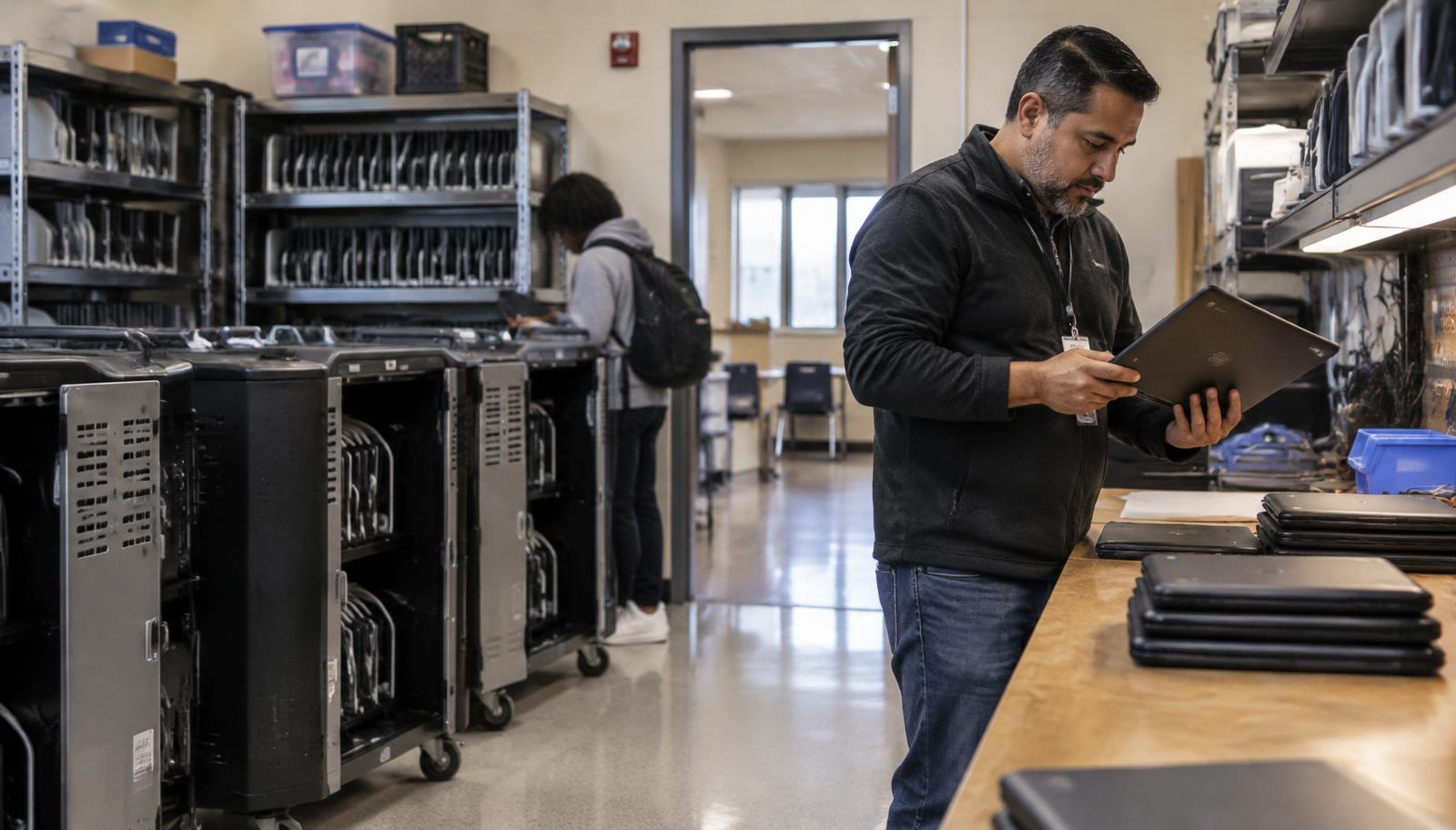
Lighthouse is what your technology team sees when a device comes in broken. Everything else is on our side of the line.
Lighthouse, the claims platform
Overview
Claims
Shipments
Student directory
Claims
Dell 3120 Chromebook
Acer Chromebook
Dell 3120 Chromebook
HP Chromebook 11 G9
Your staff file the claim by serial or asset tag and hand off the device. Lighthouse tracks every claim, shipment and covered device across all your schools. Approval, repair or replacement, and payment sit on AKKO’s side of that line.
- File a claim by serial or asset tag
- Track every claim and shipment across all your schools
- Approved within 48 hours
05 · How it runs
Three things happen. Your team owns two of them — and they’re small.
STEP 01
We quote your fleet.
Send your device count, models and ages. We quote a per-device price based on your fleet and the perils you choose, in writing.
STEP 02
You approve the coverage.
Approve the written quote and choose your start date. Devices are identified by serial or asset tag, so there is no roster to build first.
STEP 03
Your team files claims in Lighthouse.
AKKO approves within 48 hours, repairs locally through 3,000+ repair options or by prepaid mail-in, and the device comes back to the student. Prefer your own techs or a local shop? We reimburse parts and labor on approved claims.
School-funded, or something in between.
Most districts protect the whole fleet. If you’d rather split it — some devices district-funded, some family-purchased — we’ll scope that with you on a call.
School-Funded
The district insures the fleet at a quoted price based on device type, age and perils. Every covered claim is $0.
Get a group quote →Hybrid
Part of the fleet district-funded, the rest covered by families who opt in. Same coverage, same claims platform, one conversation to set up.
See how family purchase plans work →Get in touch →A clear decision, in writing. Tell us about your fleet and we’ll scope the coverage and the price before you commit.
06 · Coverage
Say it plainly:what’s covered.
A 1:1 elementary fleet and a high-school take-home program don’t break the same way. Include the perils that match how your devices actually come back — the per-device price moves with it.
48 hours
From claim filed to approved — then repaired locally through 3,000+ repair options or by prepaid mail-in.
Accidental damage
Drops, cracked screens, liquid spills and submersion. The bulk of what your techs already see, and the reason most districts start here.
Theft & loss
Stolen, or simply never returned in June. Loss is covered, not just theft — most K-12 plans exclude it.
Mechanical / electrical breakdown
Hinges, keyboards, batteries and ports that fail without an accident, including electrical failure.
Not covered: pre-existing damage and intentional damage. Full terms come with your quote.
What the district pays
One priceper device, per year
Per device, per school year. Where it lands depends on the perils you include, the devices in the fleet and the term — you see the exact number before you approve anything.
$0
Per claim
07 · Procurement
Buy through TIPS. Usually no RFP.
AKKO is available through the TIPS purchasing cooperative under contract 250106. Most TIPS members can purchase directly against the contract; some districts still require a bid above a total-cost threshold — we’ll help with that packet too. Not a member? One quote and one PO gets it done; we supply the W-9, vendor packet and a sample board memo.
08 · Next to what you run today
The same broken screen,
four ways.
Most districts already handle breakage with some mix of the OEM warranty, a damage-fee schedule and simply absorbing it. None of it is wrong. It just puts the cost and the work in different places.
Who pays for the repair
AKKO
AKKO — $0 per claim
OEM warranty
The district, unless it’s a defect
Damage fees
The family, if they pay
Self-insurance
The district
Accidental damage
AKKO
Covered, unlimited
OEM warranty
Excluded
Damage fees
Billed to the family
Self-insurance
Absorbed
A device that never comes back
AKKO
Covered — theft and loss
OEM warranty
Not covered
Damage fees
Rarely recovered
Self-insurance
Written off
What your office does
AKKO
Files the claim in Lighthouse
OEM warranty
Argues about whether it’s a defect
Damage fees
Invoices, reminds, places holds, writes off
Self-insurance
Tracks it, orders parts, repairs it
Budget predictability
AKKO
One price per device, fixed for the term
OEM warranty
Free, until it isn’t
Damage fees
Depends on collections
Self-insurance
Depends on the year
09 · Questions
The questions districts ask first
How districts buy
One quote, one purchase order — or buy against TIPS contract 250106 if your district’s purchasing rules allow it. W-9 and vendor packet on request, a sample board memo if you need one. See how to buy through TIPS ↓
What does it cost?
A fixed price per device, per school year, quoted for your fleet. The number depends on the devices, the perils you include and the term, and you see it in writing before you approve anything. Multi-year plans are available.
Is there a deductible or a claim limit?
No and no. Every claim is $0, and there is no cap on how many times a device can be repaired or replaced during the term.
What’s covered, and what isn’t?
Accidental damage including liquid submersion, mechanical and electrical breakdown, theft, and loss — you choose which perils to include when we quote. Not covered: pre-existing damage, intentional damage, and chargers or accessories unless you ask us to add them. Full terms come with the quote.
What happens when we file a claim?
Your team files it in Lighthouse by serial or asset tag. AKKO approves within 48 hours, and the device is repaired locally through 3,000+ repair options or by prepaid mail-in — we send the boxes and labels, up to 10 devices per box.
What devices can we cover?
School-issued Chromebooks, iPads, laptops and tablets — new, used or refurbished — can be included in the approved plan.
How do we actually buy this?
We supply a W-9, vendor packet and a sample board memo. Most TIPS members can buy against contract 250106, though some districts require a bid above a total-cost threshold; we’ll help with that packet too. There is no minimum fleet size, and a single school or grade band is a normal way to start.
Can families still buy coverage?
Yes. Districts that insure part of the fleet can offer a family purchase plan for the rest, at no cost to the district. See the family purchase plan page for how that works.
Can we keep using our own repair shop, or fix devices in-house?
Yes. If your technicians or a local shop you trust do the repair, AKKO reimburses parts and labor on approved claims — you send the invoice through Lighthouse and we pay it. We can also onboard a local repair vendor you already use. Mail-in with prepaid boxes stays available for anything you’d rather not touch.
Our fleet is three, four, five years old. Can you still cover it?
Any age welcome — most fleets we cover are 3–5 years old, and older devices are considered case by case. Mechanical breakdown depends on the model and year, so put the device models and purchase years on the quote request and we’ll tell you exactly what’s available for each.
What happens when a device can’t be repaired?
We treat it as a total loss and pay the replacement value you chose when we quoted — set at actual replacement cost, in $50 increments — to the district as the owner of the device, or source a replacement device for you. Coverage rolls over to the replacement.
What student data do you need, and how are devices identified?
None to launch. Devices are identified by serial number or asset tag, and you can also use student IDs or lunch PINs if that’s how your team tracks them. Serials are added when a claim is filed, not up front, so there is no roster to build first. Your covered-device directory exports to Excel whenever you need it.
Devices already have damage. Can we still start mid-year?
Yes. Coverage starts on the date you pick for a full term. Pre-existing damage isn’t covered, so we recommend a quick device inspection before launch and provide a one-page staff handout explaining what counts.
What if a student breaks a device on purpose?
Intentional damage isn’t covered. AKKO’s policy is deliberately liberal about ordinary student damage like pried-off keys, drops and spills, but AKKO — not the district — makes the call on whether damage was intentional, based on the claim. If AKKO repairs the device, your district can still bill the family under its own damage-fee policy.
Bring your device count.Leave with a per-device price.
Get a group quote →Fifteen minutes · A written per-device price · No obligation